Integrations

Connect with your Favourite Apps

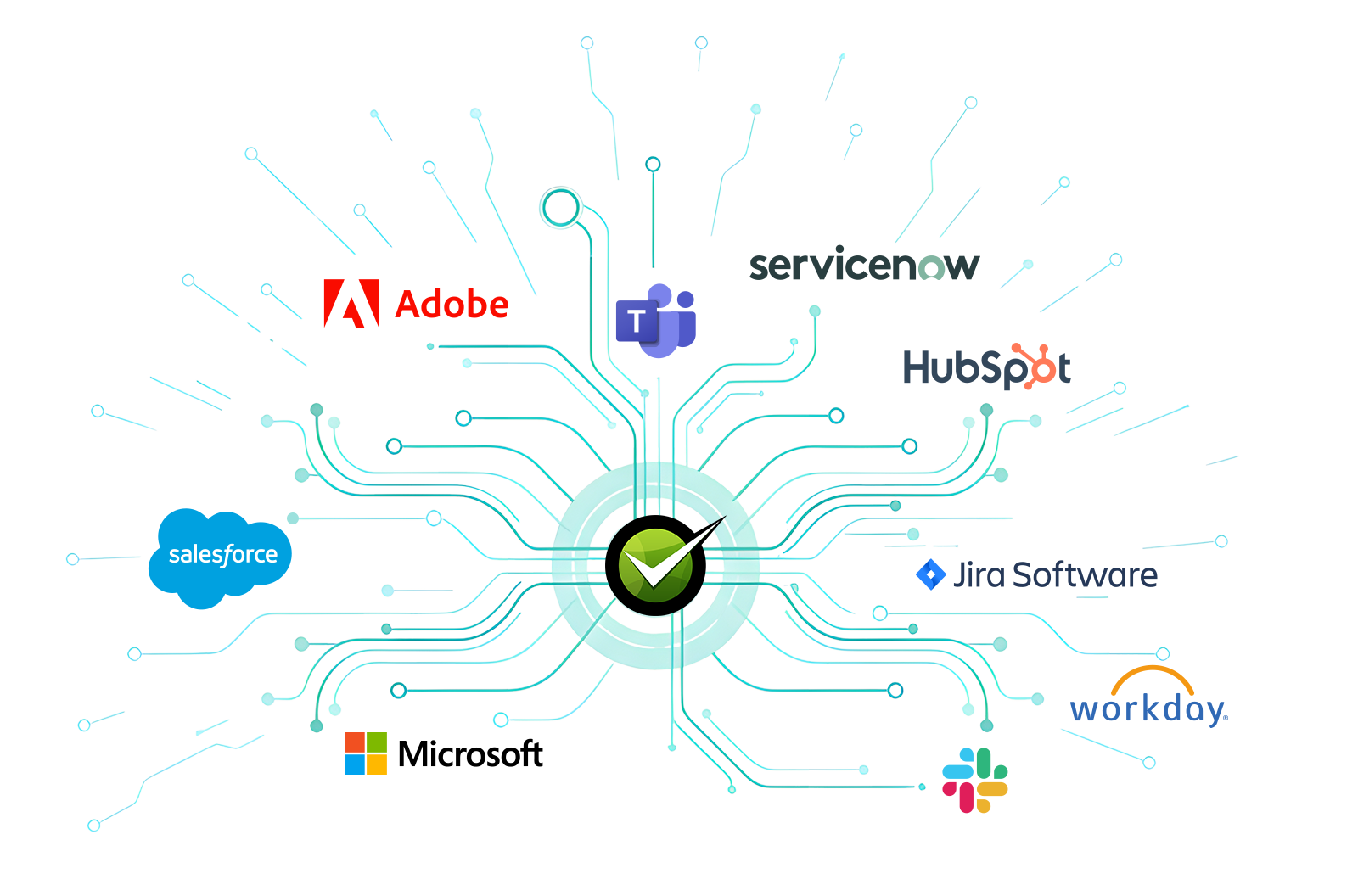
Amplify the power of your AITSM with AI that is connected to everything your enterprise has. API, MCP, A2A, Endpoints.
MSP Cover Image
Knowledge Integrations

Precise hallucination free answers from all your knowledge sources
Integration Logos
Tasks

SharePoint

Integration Logos
Tasks

Google Drive

Adobe
Tasks

Confluence WIKI

Adobe
Tasks

Box

Adobe
Tasks

Dropbox

Integration Logos
Tasks

ServiceNow

Service Desk Integrations

Deep ready to go integrations with major service desk platforms. Create and manage tickets, dynamically integrate with service catalog, sync knowledge and provide analytics.

Integration Logos
Tasks

JIRA Service Desk

Integration Logos
Tasks

Zendesk

Integration Logos
Tasks

Freshservice

Integration Logos
Tasks

BMC

Integration Logos
Tasks

ServiceNow

Integration Logos
Tasks

Bossdesk

Integration Logos
Tasks

ManageEngine

Automate everything across IT, HR and Shared Services

Deep Agentic Automations across systems that you use everyday

IT & Identity Management Systems
Integration Logos
Tasks

Microsoft Graph

Integration Logos
Tasks

Micorsoft Entra ID

Integration Logos
Tasks

Okta

HRIS Systems
Integration Logos
Tasks

BambooHR

Integration Logos
Tasks

Workday

Integration Logos
Tasks

SAP Success Factors

Integration Logos
Tasks

UKG

Integration Logos
Tasks

PeopleSoft

Integration Logos
Tasks

Rippling

Integration Logos
Tasks

Gusto

Endpoint and RMM Systems
Integration Logos
Tasks

Microsoft End Point Manager

Integration Logos
Tasks

Atera

Integration Logos
Tasks

Tactical

Integration Logos
Tasks

N-able

Integration Logos
Tasks

NinjaOne

Microsoft End Point Manager

MS
Question Variants

Install Software
(SCCM/Intune) Based Automations

RMM Based Automations

Atera LogoTactical LogoN-able LogoNinja One
Question Variants

Software Install
Network Printer Install
Onedrive Troubleshooting
Enable/Disable USB Drives
Cache Clearing

Device Settings Configuration
New Laptop Setup Assistance
Fix Filesystem Issues
Proactively Monitor Device & Create Tickets

MSP Platforms
Integration Logos
Tasks

ConnectWise

Integration Logos
Tasks

NinjaOne

Integration Logos
Tasks

Kaseya

Integration Logos
Tasks

HALO

Integration Logos
Tasks

Hudu

Integration Logos
Tasks

ITBoost

Integration Logos
Tasks

IT Glue

SaaS Platforms
Integration Logos
Tasks

Salesforce

Integration Logos
Tasks

SAP Concur

Integration Logos
Tasks

Hubspot

Communication Systems

AI that services your employees where they work

Integration Logos
Tasks

Microsoft Teams

Integration Logos
Tasks

Slack

Integration Logos
Tasks

Outlook

Integration Logos
Tasks

SharePoint

Integration Logos
Tasks

Google Chrome

Out-of-the-Box: Triaging and Smart Ticket Skills
Active Directory logo
OOB KB

Microsoft Active Directory

Adobe
OOB KB

Adobe

Intenet Exploer
OOB KB

Internet Explorer

Fire Fox
OOB KB

Mozilla Firefox

Chrome
OOB KB

Google Chrome

Word Document
OOB KB

Microsoft Word

Ms
OOB KB

Microsoft OneNote

Canvas
OOB KB

Canvas LMS

Office 365
OOB KB
Microsoft Office 365
Zoom
OOB KB

Zoom

Frequently Asked Question's

What additional modules do you have?
Arrow Icon

Desktop Automation is an additional module that you can add to enable the bot to do tasks that are activated by Powershell scripts. These are often complex tasks such as desktop and laptop configuration, software installation, OneDrive issues, Outlook troubleshooting, etc. Book a demo to learn more about this game-changing auto-resolution technology.

What point of entries are available to employees?
Arrow Icon

MS Teams, Slack, web, mobile app.

Is there a mobile app for agents?
Arrow Icon

Yes, there is a mobile app for agents.

Can the bot go through troubleshooting steps?
Arrow Icon

Yes, the bot has many built-in troubleshooting and triaging skills. Book a demo and see this in action or ask for a copy of our Out-of-the-Box Automation Skills document.

Can I customize the menu and look and feel of Rezolve.ai bot?
Arrow Icon

Yes, you are able to customize the menu and look and feel of the bot however you like to meet your branding needs.

How do I check when Rezolve.ai system is down?
Arrow Icon

You can check System Status via this link - https://www.rezolve.ai/system-status

Is there a mobile app for agents?
Arrow Icon

Yes, there is a mobile app for agents.

Can you transfer all my records from my previous service desk?
Arrow Icon

Yes, this is something we can do during initial implementation.

What is included in your Out-of-the-Box integrations?
Arrow Icon

Our core product comes with 250+ Out-of-the-Box integrations. Book a demo to learn more or ask for a copy of our Out-of-the-Box Automation Skills document.

How long do integrations take? Out-of-the-Box vs. Custom integrations.
Arrow Icon

Out-of-the-Box integrations can be completed during the few weeks at the start of Implementation. Custom integrations also take a few weeks depending on the availability of APIs and process.

What do you need to do integrations?
Arrow Icon

We just need the APIs and your end points.

Does Rezolve.ai support single sign-on (SSO)?
Arrow Icon

Yes, we support SSO through integrations with Active Directory. Active Directory is part of our Out-of-the-Box integrations.

Is there an audit trail?
Arrow Icon

Yes, the back-end capture all activities to meet audit trail needs.

Is Rezolve.ai secure?
Arrow Icon

Yes, Rezolve.ai is SOC 2 Type II compliant, HIPAA certified, and ISO 27001 certified. We're ready to provide you with Due Diligence documentation when you need.

What makes your knowledgebase different?
Arrow Icon

Our platform enables you to centralize your knowledge throughout the organization through your employee engagement tool, like MS Teams or Slack. On Day 1, we can upload and parse your knowledge in bulk via our AI ingestor. The AI knowledgebase learns over time through a smart feedback loop. Through our knowledgebase, your employees will be able to access relevant, up-to-date information at their fingertips.

What does invisible ticketing mean?
Arrow Icon

We can our ticketing system "an invisible ticketing system" because our end users never need to see it. Employees can open tickets, check status, add notes, and more through your employee engagement tool such as MS Teams or Slack (or via web and mobile app).

What are the different ways that tickets can be opened?
Arrow Icon

Tickets can be opened on MS Teams, Slack, emails, web, mobile app. Tickets can be manually created by employees or created on behalf of employees or, based on context, the bot can create tickets on behalf of employees.

Can end users open tickets via emails? Can those in To and CC fields get updates on tickets as well?
Arrow Icon

Yes, users can open tickets via emails. The email sender is considered the Requester. Those in the To and CC fields are considered To Watchers and CC Watchers. All would get emails updates on the status of the tickets.

Do I have access to dashboards and reports?
Arrow Icon

Yes, there are dashboards and reports based on user profile and access levels. To learn more about what dashboards and reports entail, feel free to book a demo with us.

Is it possible to have parent/child or related tickets?
Arrow Icon

Yes, these features are all included in the core product.

What are some examples of automation?
Arrow Icon

Rezolve.ai can automate workflows and knowledge. For example, we can help you automate the employee onboarding process with complete integration with HR system such as Workday and e-signature tool such as DocuSign. We can also auto-resolve common tasks such as access requests, software order, password reset, software install, and desktop configuration.

What are some examples of common tasks that Rezolve.ai can auto-resolve?
Arrow Icon

Password reset, access requests, software order.

What are some examples of complex tasks that Rezolve.ai can auto-resolve?
Arrow Icon

Software install, laptop configuration.

Does Rezolve.ai work on MS Teams?
Arrow Icon

Yes, the functionalities that we provide on MS Teams are one of our differentiators. Book a demo and see some of these game-changing features in action.

Can non-corporate or non-MS Teams users use Rezolve.ai?
Arrow Icon

Yes, there is a concept called lite users. Feel free to ask about this during our next meeting.

What is implementation setup process duration?
Arrow Icon

You should allot 4-6 weeks for initial implementation. We can build more and more together throughout our collaboration. And noted that automation is a journey. Phase 1 (2 weeks to 2 months) is about address common support issues. Phase 2 (a couple months) is about automation and integrations. Phase 3 (a couple of months later) is about doing more advanced tasks, knowledge and workflow automation.

How long does it take to create automated workflows?
Arrow Icon

Through your input, it takes a few short weeks to create, test, and deploy these workflows. Building automation with us doesn't take the time and resources that you think it does. Book a demo and ask us to show you our low-code/no-code Studio.

Can approvals be built into the workflows?
Arrow Icon

Yes, absolutely.

How can I test Rezolve.ai before purchasing?
Arrow Icon

You should first book a demo with us to see the product. Then, let us know that you want a Free Trial. We'll be happy to set that up.

What does your pricing look like?
Arrow Icon

It would be hard to find a way to achieve ROI faster than with Rezolve.ai. The pricing for our core product is based on number of employees and departments. Desktop Automation is a separate module that is priced based on number of end user device.

See Why Our Customers Love Us

"We truly enjoyed working with team Rezolve.ai over the past year-and-a-half. This product has truly become revolutionary for our student IT support operations."

Kyle Campanaro

SUNY
Quote Icon

"We are grateful to have found a solution that goes beyond the standard ticketing system and integrates as well with Microsoft Teams."

Nicholas Messer

Director of Client Services, UE
Quote Icon

"Rezolve.ai's technical expertise and innovative thinking helped us navigate challenges and implement a cutting-edge solution that exceeded our expectations."

Lyell Amora

AC Transit
Quote Icon

"Our ITSM procedures flow over to 30 different departments in our company. Rezolve.ai was very generous in delivering a customized solution for us"

Lyle Florence

Sr. Manager, IT Support Ops, MyEyeDr
Quote Icon

Enterprise-Grade Security & Privacy

Built from the ground up to meet the highest global standards.

Security Logo
SOC 2 Type II
Security Logo
GDPR
Security Logo
HIPAA
Security Logo
ISO 27001